A bundle of two tools from TC Electronic for loudness normalization and metering, covering mono to 5.1 surround. Includes LC6n for correction and LM6n for measurement, suitable for delivering platform-compliant audio.
Purpose
The Multi Channel Loudness Bundle provides a complete solution for loudness management in audio post-production and music mastering. It combines the LC6n Loudness Correct for normalization and the LM6n Loudness Radar Meter for measurement, working together to ensure your final mixes meet broadcast and streaming standards.
The bundle is designed to handle mono, stereo, or 5.1 surround formats, covering versatile channel configurations. The LC6n and LM6n complement each other: one corrects, the other verifies. This creates a streamlined workflow for delivering compliant content across various platforms, from cinema to online streaming services.
Key Capabilities
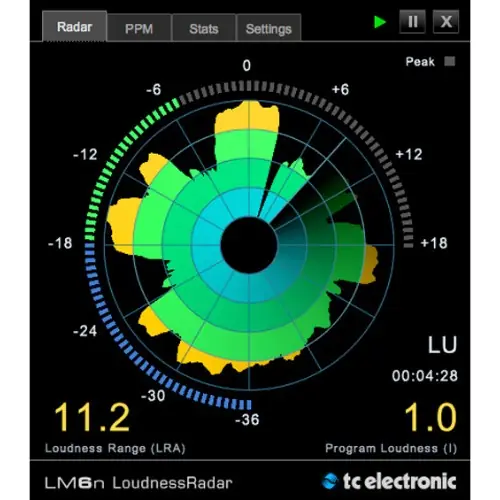
The LM6n meter provides an innovative Radar Display that visualizes your loudness landscape at a glance, making it easy to spot issues. It is compliant with all major loudness standards and runs natively in Pro Tools and other DAWs, offering dedicated settings and new viewing options. The plug-in also supports offline measuring in Pro Tools for efficient analysis.
The LC6n functions as a native Pro Tools plug-in or a standalone application. Its standout feature is watch folder capability, allowing automatic batch normalization of multiple audio files. For precise control, a mastering-grade true peak limiter with a brickwall design ensures output doesn’t exceed the ceiling. Parallel to the LM6n, it handles mono, stereo, and 5.1 formats.
Workflow Integration
Start by applying the LM6n on your master bus to analyze loudness and true-peak levels across your mix. Use the visual feedback to identify problematic sections. For corrections, run LC6n offline in Pro Tools to normalize files to a chosen target, which is ideal for pre-delivery finalization.
For large-scale projects, use LC6n’s standalone mode: drop audio files into a watch folder, and the application automatically normalizes them in the background. This batch workflow reduces manual steps. In a DAW, combine the tools together—measure with LM6n and adjust in real-time if needed, ensuring your mix stays within compliance from start to finish.
Practical Applications
This bundle suits post-production facilities that need to deliver mixes for television, film, and streaming at consistent loudness. The batch normalization feature saves time when processing multiple episodes or short-form content. Radio broadcasters can also use it to ensure spots comply with regional loudness regulations.
Music mastering engineers handle loudness for various platforms, such as Spotify or Apple Music, using this set. LM6n validates that a master meets target loudness and true-peak limits, while LC6n adjusts finals. The standalone application proves useful for music distributors converting large catalogs of tracks to a specific loudness standard.
Key features
- LC6n Loudness Correct and LM6n Loudness Radar Meter
- Radar Display for loudness visualization
- Compliant with all loudness standards
- LC6n standalone with watch folder for automatic batch normalization
- Mastering-grade true peak limiter
- Runs natively in Pro Tools and other DAWs
- Supports offline measuring in Pro Tools
Best for
Audio post-production and music mastering engineers who need to deliver content meeting loudness standards across mono to 5.1 surround, with efficient batch processing and accurate metering.