Drum Replacer is a realtime, program-adaptive drum replacement and processing utility that uses machine learning to separate audio components and trigger internal samples or virtual instruments.
Purpose
Drum Replacer solves common mixing problems by isolating and processing drum components in realtime. It removes bleed from drum recordings, replaces drums with your favorite samples, and layers existing sounds. You can also add sub-bass or enhance tracks without manual editing. Its core function is intelligent triggering: machine learning analyzes incoming audio to create spectral models for each detected sound, enabling accurate component isolation with gain and velocity tracking. This opens up new possibilities for dynamic processing in mixing and remixing environments.
The tool is designed to provide sophisticated results with minimal effort. Analysis, detection, and track customization take only a few clicks, making it accessible to users of any skill level. The program-adaptive nature means it adjusts to the input signal, making it suitable for a wide range of material and creative workflows.
Key Capabilities
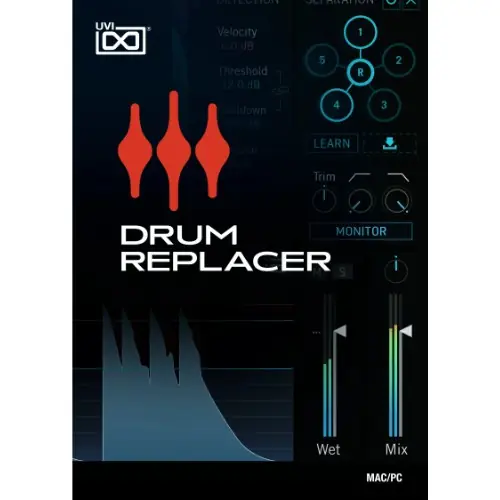
Analysis is initiated by clicking ‘LEARN’ or by dragging an audio file into the interface. Components are then ordered numerically by overall energy level, numbered 1 to 5 with a remainder designated as (R). They flash in the UI when triggered, allowing easy identification. Users can individually mute components and apply trim, low-pass, and high-pass filters to their sum before sending to outputs or the detection engine.
Triggering is managed via a large central analyzer and control panel. Prior to analysis, this display shows the aggregate input signal; after analysis, it shows only the selected components, letting you fine-tune triggering to specific elements. Detection is configured by setting a threshold for attack, a cooldown to prevent retriggering, gate duration in milliseconds, and velocity range. A ‘CLICK’ option outputs a placeholder sound to help dial in the response.
Workflow
Drum Replacer includes eight tracks that can host either audio samples or virtual instruments. A built-in browser helps you locate local sounds and plugins, with a star icon to add favorites. Sample tracks provide an interactive waveform display for adjusting start and end times, sample reverse, phase invert, polyphony, an AHD amplitude envelope, gain matching, and +/-48 semitone tune control. Offline pitch matching helps achieve accurate blending and phase correlation with the source.
Instrument tracks offer access to your plugins’ full GUI editors, along with MIDI channel and note selection. Each track has a configurable delay offset for positive or negative timing adjustment, enabling pre-triggering or perfect sync. Extended triggering options include all, sequential, and random modes, allowing dynamic performances by alternating between samples. Comprehensive presets let you template entire 8-track configurations or individual tracks for reuse.
Practical Applications
In music production, Drum Replacer excels at cleaning up live drum recordings by removing bleed, replacing or layering drums to enhance clarity and impact, and adding sub-bass for depth. The realtime analysis and triggering suit both corrective and creative tasks, from tightening a mix to crafting unique rhythmic textures. For remixing, it isolates components for individual processing, offering new avenues for creative sound design.
The workflow is designed for minimal effort, enabling quick setup and customization. Its integrated browsers and preset support save time. The tool’s program-adaptive nature means it adjusts to varying material, making it suitable for users of different skill levels.
Key features
- Machine learning-based spectral analysis for component separation
- Realtime triggering with positive/negative offset and gain/pitch matching
- Eight tracks hosting samples or virtual instruments with mixing controls
- Extended triggering: all, sequential, random
- Integrated browser with favorites and preset support for tracks
- Interactive sample waveform with reverse, phase invert, and envelope
- Configurable detection: threshold, cooldown, gate, velocity
Best for
Drum Replacer suits audio engineers and producers needing to clean drum recordings, replace or layer drums in mixes, and add dynamic variation. It is ideal for realtime processing in mixing or remixing environments, accommodating users of varying skill levels with a straightforward workflow.