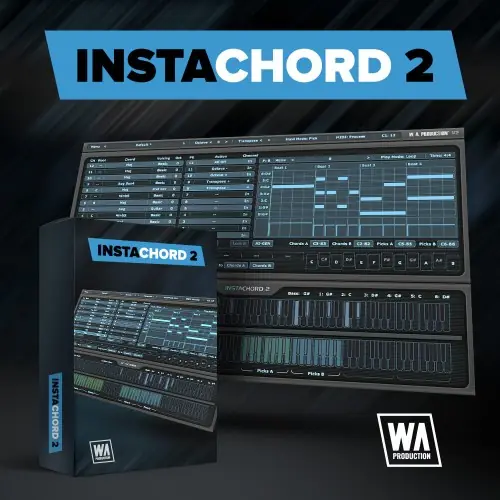
InstaChord 2 by W.A. Production is a MIDI chord creator and mini-sequencer that generates chord progressions, patterns, and strums, with AI assistance and drag-and-drop export to your DAW.
Chord and Pattern Creation
InstaChord 2 is a MIDI processing plugin designed to simplify chord creation and sequencing. It offers over 60 chord shapes, including inversions, voicings, augmentations, and extensions, letting you craft progressions in any key. You can set up to 24 chords and switch between them via chord keys, and transpose the entire set with a couple of clicks.
The plugin includes a custom chord editor where you can build chords by selecting intervals between notes, or play them on a MIDI keyboard to teach the plugin your favorite shapes. This makes it easy to explore complex harmonics without deep music theory knowledge, speeding up songwriting and production workflows.
Advanced Pattern Editor and AI Generation
The new Pattern Editor provides full control over strums and chord playback. You can drag notes around like in a DAW, and manage time signature, play mode, and velocity. This allows for creating soaring arpeggios, pounding piano chords, or delicate guitar riffs. New playback modes cover different behaviors for holding notes and toggling chords, ensuring authentic performance across various instruments.
AI Generation, adapted from Instacomposer, analyzes the current scale and spawns brand-new riffs using complex algorithms with a touch of randomization. These generated ideas are always musical and can be edited just like your own patterns. This feature serves as a springboard for inspiration, helping you overcome writer’s block and discover new melodic directions.
Performance and Playback Flexibility
InstaChord 2 offers multiple ways to play chords and picks, all customizable in the Pattern Editor. For instance, you can assign a key to strum the top three notes of a chord and another to play a riff on the remaining notes, or play individual notes separately. This enables manual arpeggiation and strumming for expressive live performance.
Action keys, integrated into the main playback keys, can transpose by octave or semitone, letting you shift chords on the fly while playing live. The interface is resizable, and you can configure UI size, playback type, key configuration, and position. You can lock chord and action keys to prevent accidental changes during preset exploration.
Workflow and Presets
InstaChord 2 accelerates music production by providing a ready-to-use ideas engine. The MIDI drag-and-drop feature lets you export patterns from the editor directly into your DAW, making workflow seamless. Factory presets for chord sequences and patterns serve as excellent starting points, covering keys, guitars, synths, and more.
The plugin is suitable for songwriters and producers of all skill levels, from beginners to professionals. Its intuitive interface reduces the time spent on chord theory, allowing more focus on creative arrangement. The included PDF manual and tutorial video help you get up to speed quickly, and all InstaChord 1 presets remain compatible for a smooth upgrade.
Key features
- MIDI chord creator and pattern sequencer
- Over 60 chord shapes with voicings and extensions
- New advanced pattern editor with drag-and-drop
- AI generation for chord sequences and riffs
- Custom chord editing via intervals or MIDI input
- Playback modes for strumming and arpeggiation
- MIDI drag-and-drop export to any DAW
- Resizable interface and factory presets
Best for
Best for music producers, songwriters, and beatmakers looking to generate chord progressions, arpeggios, and strumming patterns quickly, with AI-assisted inspiration and deep MIDI editing for genres like pop, hip-hop, and electronic music.