Blue Cat Audio’s Plug’n Script is a programming environment inside a DAW for designing custom audio and MIDI effects or virtual instruments, with optional export as standalone plugins.
Purpose and Capabilities
Plug’n Script is a scripting host that turns your DAW into a development platform. It allows creating custom audio and MIDI effects or virtual instruments without leaving your session. The plugin supports both source scripts written in AngelScript and precompiled native binaries built from C or C++. This flexibility suits both beginners and experienced programmers.
It can be used as a regular multi-effects processor with existing scripts, or as a tool for prototyping algorithms rapidly. The integrated Just-In-Time compiler translates scripts into machine code for performance, and binary scripts use native code for optimal speed. Scripts can be shared via a repository, and factory scripts provide ready-to-use examples.
Scripting and Development Workflow
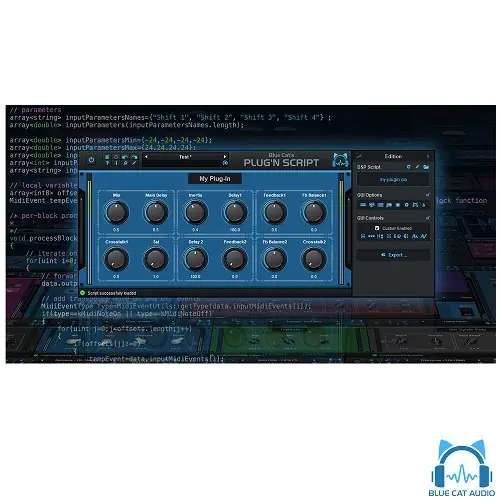
AngelScript syntax resembles C++, Java, or JavaScript, making it approachable for developers familiar with these languages. The plugin generates a user interface automatically from script parameters, and you can customize it using Blue Cat’s KUIML language. Editing is done in your preferred IDE, while the plugin runs the script and updates in real time.
Switching between AngelScript and native binary versions of the same script requires minimal changes. You can prototype an effect in AngelScript and then compile it as C++ for production. The plugin supports up to 48 input parameters and 32 outputs, with full MIDI and automation control, plus side chain input and auxiliary outputs.
Practical Applications
Plug’n Script is ideal for creating unique effects like custom compressors, gates, reverbs, or MIDI utilities that aren’t available elsewhere. It can also be used to build virtual instruments, waveform generators, and file playback/recording tools. The included 56 source scripts and 136 presets cover synthesis, MIDI FX, and audio processing, offering a fast starting point.
For collaboration, you can write scripts for others or distribute compiled binaries. The plugin’s export feature allows packaging your creation as a standalone VST, VST3, or Audio Unit plugin, which can be shared or used in other projects. This makes it a practical tool for sound designers and developers.
Workflow and Performance Considerations
Plug’n Script supports full MIDI control, automation, and MIDI Learn for parameter assignment. It features zipper-free parameter updates and silent bypass to avoid clicks. The plugin reduces CPU load on idle by shutting down processing when fed silence. It supports up to 8 audio channels and any sample rate, making it suitable for complex session setups.
You can record output parameters as automation curves or send MIDI CC messages to other plugins for advanced side chain effects. The presets manager is full-featured with undo/redo, and you can copy/paste state between instances via clipboard. This workflow enhances efficiency in both live and studio environments.
Key features
- Audio and MIDI scripting with AngelScript or native code
- Export custom plugins as VST, VST3, or Audio Unit
- Up to 48 input parameters and 32 outputs
- Automatic UI generation with customizable KUIML
- Includes 56 scripts and 136 presets
- Side chain input and auxiliary output support
- CPU optimization with idle shutdown
Best for
Sound designers, plugin developers, and advanced music producers who need custom audio tools or virtual instruments. It’s also valuable for educators teaching DSP, or for creating bespoke effects that are unavailable elsewhere.