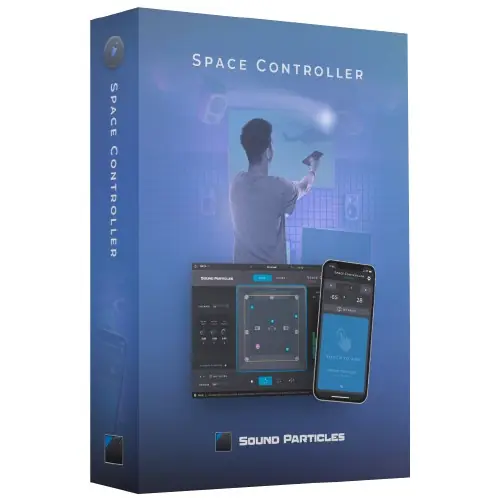
Space Controller Standard is a mobile app and plugin system that pans audio in surround and immersive formats using a device’s motion sensors, offering intuitive, spatial control from stereo to binaural and 5.1.
Purpose and Concept
Space Controller Standard is designed to make surround and 3D audio panning more intuitive than traditional knob or joystick methods. It pairs a mobile app with a plugin in your DAW, using the device’s motion sensors as a movement reader. You point your device to position sounds in space, offering a hands-on approach for home studio setups.
The Standard edition supports Bluetooth stereo, binaural, First-Order Ambisonics (FOA), and 5.1 surround. It is positioned as perfect for a home studio, providing a straightforward entry into spatial audio mixing without the complexity of higher-end systems.
Key Capabilities
The plugin and app work together to offer several control modes: Mono for single sources, Channels for independent channel control, Rotation for spinning the entire soundfield, and Symmetric for mirror-like adjustments, such as widening a 5.1 recording. You can also adjust source size to control how widely a sound spreads across speakers.
Individual position parameters (coordinates in Cube mode, angles in Sphere mode) can be locked to hold specific placements. You can choose between Cube or Sphere panning modes, and select independent input and output formats, including the ability to mute specific channels.
Workflow and Control
Connection is via Bluetooth for minimal setup, though Wi-Fi is recommended for professional studios where computers are in different rooms (a feature of the Studio edition). You can use one mobile device to control multiple tracks, or multiple devices for different channels, such as one for left and one for right.
The plugin offers top and rear views for consistent visual feedback. Even without the mobile app, it functions as a regular 3D panner plugin, providing absolute spatial freedom. An iPod touch can serve as a dedicated, low-cost controller.
Practical Applications
Space Controller Standard suits home studio projects involving 5.1 surround mixing, binaural audio for headphones, or First-Order Ambisonics for VR. It’s ideal for sound designers and music producers who want to move sounds dynamically in a space, such as placing a helicopter flyover or positioning a voice in a scene.
For more complex immersive formats like 7.1.4 or higher-order Ambisonics, the Studio edition offers wider support. Standard remains a focused tool for stereo-to-binaural and 5.1 workflows, emphasizing ease of use over extensive format coverage.
Key features
- Motion-based panning via mobile device app
- Bluetooth stereo, binaural, First-Order Ambisonics, and 5.1 output
- Cube and Sphere panning modes
- Mono, Channels, Rotation, and Symmetric control modes
- Source size adjustment and position locking
- Independent input/output format selection with channel muting
- Use without mobile device as a standard 3D panner
Best for
Home studio producers and sound designers mixing 5.1 surround, binaural content, or First-Order Ambisonics who want a tactile, motion-based approach to positioning sounds. Ideal for those starting with spatial audio who prefer an intuitive physical controller over traditional knobs.