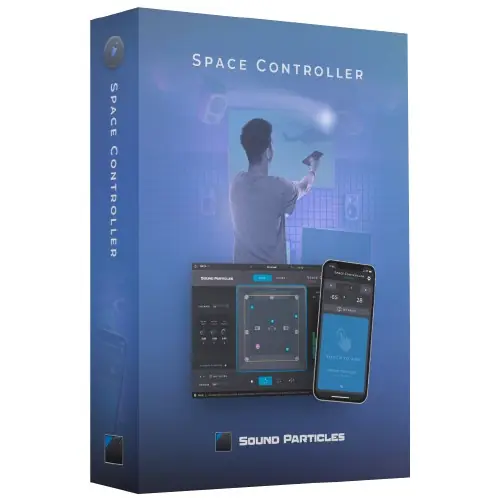
Space Controller Studio by Sound Particles pans audio in surround and immersive formats using a mobile device’s motion sensors. It combines a plugin and companion app for intuitive spatial control.
Purpose and Core Concept
Space Controller Studio is designed to simplify panning in surround and immersive audio. It pairs a DAW plugin with a mobile app that reads the device’s movement, letting you point to where sounds should be placed. This approach replaces traditional knobs or joysticks, offering a more direct and intuitive workflow.
The Studio edition supports a wide range of formats, including stereo, binaural, First-Order Ambisonics, and multichannel layouts up to 22.2, plus Ambisonics up to sixth order. It is suited for professional mixing stages, while a Standard edition exists for home studios.
Key Capabilities and Modes
The plugin includes Cube and Sphere modes for different workflows. Cube mode suits traditional speaker layouts, while Sphere mode is intended for Ambisonics and VR. Additional modes—Mono, Channels, Rotation, and Symmetric—allow controlling individual sources, rotating the sound field, or managing a 5.1 recording’s width.
You can adjust source size to widen a sound across multiple speakers, lock position parameters in either coordinate system, and choose input/output formats independently. Top and rear views provide visual feedback on placement.
Control and Communication
The mobile app communicates with the plugin via Bluetooth, which is easy to set up. For professional studios where computers may be in different rooms, Wi-Fi is recommended for a stable connection. You can use a single device to control multiple tracks or multiple devices for different channels, offering flexibility.
Without the app, the plugin still functions as a regular 3D panner, giving absolute spatial freedom. The Studio edition includes both Bluetooth and Wi-Fi support, ensuring compatibility across various studio setups.
Workflow and Applications
Typical workflows involve connecting a mobile device to your DAW, launching the app, and moving the device to pan sounds in real time. This is practical for mixing films or music in surround and immersive formats. The multi-device capability allows, for instance, using two devices to control left and right channels independently.
For cost-effective setups, an iPod touch can serve as a dedicated controller. The plugin is useful for live mixing, post-production, and any project requiring precise spatial placement, such as VR or Dolby Atmos, though Atmos support is among many output options.
Key features
- Supports formats from stereo to 22.2 and Ambisonics up to 6th order
- Cube and Sphere modes for traditional or VR-based panning
- Modes for mono, channels, rotation, and symmetric control
- Adjustable source size and individual position locks
- Independent input and output format selection with mute options
- Multiple views (top/rear) for visual positioning
- Bluetooth and Wi-Fi connectivity for the mobile app
Best for
Ideal for sound professionals and composers mixing in surround or immersive formats, especially those working with Ambisonics, VR, or large channel counts. It excels in film post-production and music mixing where intuitive, gesture-based panning speeds up workflow. The Studio edition suits professional mixing stages needing advanced formats.